


What to check before you play on mobile
Nomini runs in mobile browsers, and a few checks before you start keep the session smooth. First, make sure you're on a secure connection – public Wi-Fi is convenient but risky for account access and transactions. Use your own data or a trusted network.
Type the operator's address directly into your browser rather than following a link from email or a message – phishing sites look convincing on a small screen. Bookmark the real page once you've confirmed it.
Set deposit limits before the session, not during it. The cashier and responsible gambling tools work on mobile, but a limit set in advance is one you won't forget when a game is already loaded. If you're on a device someone else might pick up, sign out when you're done – most phones remember passwords, and an open session is an open account.
Good to know: battery drain is real when live dealer tables are streaming. A phone below 20% charge is a phone about to die mid-hand, so plug in or play something lighter. You must be 18 or over (18+) to access this site.
Does Nomini offer a native app
The platform is accessed through mobile browsers – Safari on iOS, Chrome or Firefox on Android, or any standards-compliant browser on your device. There's no download, no install step, and no separate login. The same account you use on a laptop works here, and your balance, game history and limits all carry over.
This browser-based approach means the operator's updates reach you automatically. No app store approval delays, no version mismatches, no storage eaten by a separate install. Type the address, sign in, and you're through to the cashier or the live lobby the same way you would on desktop.
Getting to the games from a phone
Here's how access works in practice:
- Open your mobile browser and navigate to the operator's site.
- Sign in with your existing username and password – new registrations can be completed on mobile too.
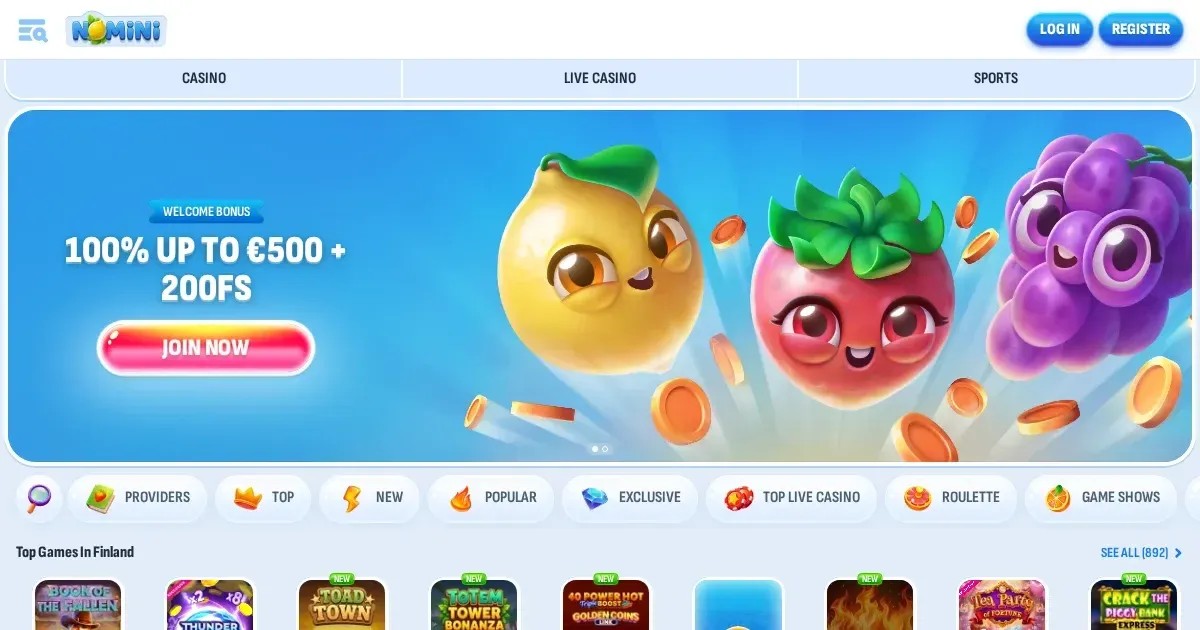
- The homepage adapts to the screen: menu collapsed into a hamburger icon, game categories listed vertically, search bar at the top.
- Tap through to slots, live dealer or table games the same way you would on desktop, just with a vertical scroll instead of a wide grid.
The library claims more than 10,000 casino games, and the mobile layout groups them by category – Top Games, Live Casino, and genre filters. A portrait-orientation phone fits one or two tiles per row; landscape mode shows three or four. Scrolling is the trade-off for a collection this size, but the search function helps when you know what you're after.
What actually works on a smaller screen
The cashier is fully operational. Deposit methods listed in the terms – credit and debit cards, bank transfer, e-wallets – all function through the mobile interface. You'll see the same fields and the same limits as on desktop. Withdrawal requests go through the same 3-business-day queue, processed by the financial department between 6 AM and 5 PM GMT, Monday to Friday.
Customer support channels carry over too. Live Chat runs 24/7, and the widget opens over the game screen without closing your session. Email support at the operator's own address is accessible from the site's contact page. Response expectations stay the same: Live Chat answers faster, email within the operator's stated timeframe.
Verification uploads work on mobile, though photographing a document on the same device you're uploading from can be awkward – better to use the phone's camera, then upload through the browser. The operator may request ID, proof of address, and payment method statements before a first withdrawal, and the 30-day deadline applies whether you're on a laptop or a phone.
VIP progress and gamification on the go
The loyalty programme operates identically across devices. Coins accumulate for wagering and deposits at the same rate – 1 Coin per 10 EUR wagered, 5% of each deposit credited as Coins – and the Shop where you exchange them for bonuses, bonus spins or freebets is accessible from the mobile menu.
Weekly Challenges, One-Time Challenges and Cards Collections all track on mobile. Progress bars, available challenges and purchased cards display in the same dashboard layout, just stacked vertically. Completing a challenge or collecting a card works the same way it does on desktop, with notifications appearing in-session.
Where mobile is worse than a laptop
Live dealer tables suffer most on a small screen. Chat overlays the video feed, bet controls sit below it, and the dealer's voice competes with whatever else is happening in the room you're sitting in. A 6-inch screen cannot replicate the immersion of a 15-inch one, and fast-paced games like Lightning Roulette or Crazy Time feel cramped when every button is a thumb-tap away from the stream.
Portrait mode makes scrolling the game library a long task. With one or two tiles per row, finding a specific slot means scrolling through dozens of others. Landscape orientation improves the grid, but then typing in the search bar or navigating the menu requires rotating the phone back, and not every game loads well sideways.
Multi-table play – opening several slots at once, or a live game alongside a side bet – is technically possible but practically unusable. Switching between tabs loses context, and a phone's RAM will close background games faster than a desktop would. If you're the kind of player who likes two or three sessions running in parallel, a laptop is the better tool.
What stands out: withdrawal limits and VIP progression operate on a 90-day rolling window, so a player who only ever logs in from mobile will see their VIP level drop if they don't maintain activity. The status check and the limits table are both accessible from the mobile account dashboard, but the information density on a small screen makes it easier to miss a tier drop until a withdrawal request gets capped lower than expected.
Staying in control on a device you always carry
A phone in your pocket is a casino in your pocket, and that convenience cuts both ways. The same 18+ restriction applies, and the same responsible gambling tools – self-exclusion via email to customer support – work on mobile. But a device that's always with you makes impulse deposits easier, and a late-night session on a small screen doesn't feel like "real" gambling the way sitting at a desk does.
Set limits before you need them. The operator's terms enforce a minimum monthly wagering threshold of 20 EUR before a withdrawal is approved, which means deposits cannot simply be moved back out without play. A quick deposit from your phone at 11 PM still counts, and the rollover requirement still applies.
If gambling is feeling less like entertainment and more like something you do to pass time, or to fix a loss, national support is available day and night:
- National Gambling Helpline: 0808 8020 133 (free, 24/7, confidential) – GamCare
- BeGambleAware: begambleaware.org for guides, tools and chat support
- GamStop: gamstop.co.uk – free national self-exclusion covering licensed operators
Blocking software like Gamban or BetBlocker runs on phones and tablets, and both work across browsers and apps. If you share a device with anyone under 18, parental controls such as Net Nanny or Qustodio restrict access by site category, not just by individual address.
This page is provided for information and marketing purposes. We do not operate a casino, bookmaker or any form of gambling service. Access to this content is restricted to those aged 18 and over (18+). Free, confidential help with gambling concerns is available at BeGambleAware.org.